SEO Check: Website Traffic, Domain Rating, Backlinks and Technical SEO in One Free Report
How SEO Check builds a free website SEO report from Similarweb, Ahrefs and Lighthouse: traffic, Domain Rating, backlinks, keywords, top pages, competitors, 12 months of history and on-page checks.
Sizing up a website in search usually takes three tabs. One for traffic, because only Similarweb-style panel data tells you roughly how many visits a site gets. One for authority and backlinks, because that is where Ahrefs is strong. And one for Lighthouse, to see whether the home page is slow or broken for Google. Then you copy numbers into a spreadsheet to compare yourself with a competitor.
SEO Check in Growth Atlas does that tab-switching for you. You enter a domain, and in about a minute you get traffic, Domain Rating, backlinks, the keywords and pages that bring search visitors, organic competitors, 12 months of history, a Lighthouse audit and on-page checks of the home page. This guide explains what each part of the report means, how to read the numbers without over-reading them, and how to compare two sites.
Key takeaway
- SEO Check calls 12 SandBase data APIs per run: 10 from Ahrefs, 1 from Similarweb and 1 Lighthouse audit through DataForSEO, plus its own checks of the home page HTML, robots.txt and sitemap.
- The report covers monthly visits and engagement, Domain Rating, backlinks and referring domains, top organic keywords and pages, organic competitors, and 12 months of traffic, Domain Rating and ranking history.
- All traffic numbers are estimates. Similarweb models visits from panel and partner data, and Ahrefs models organic traffic from rankings. Use them to compare sites, not as analytics.
- Keywords and competitors are for the country that sends the site the most organic traffic; traffic, Domain Rating, backlinks, top pages and history are worldwide.
- Free with Google sign-in: 3 runs per account, on any public domain.
What you enter
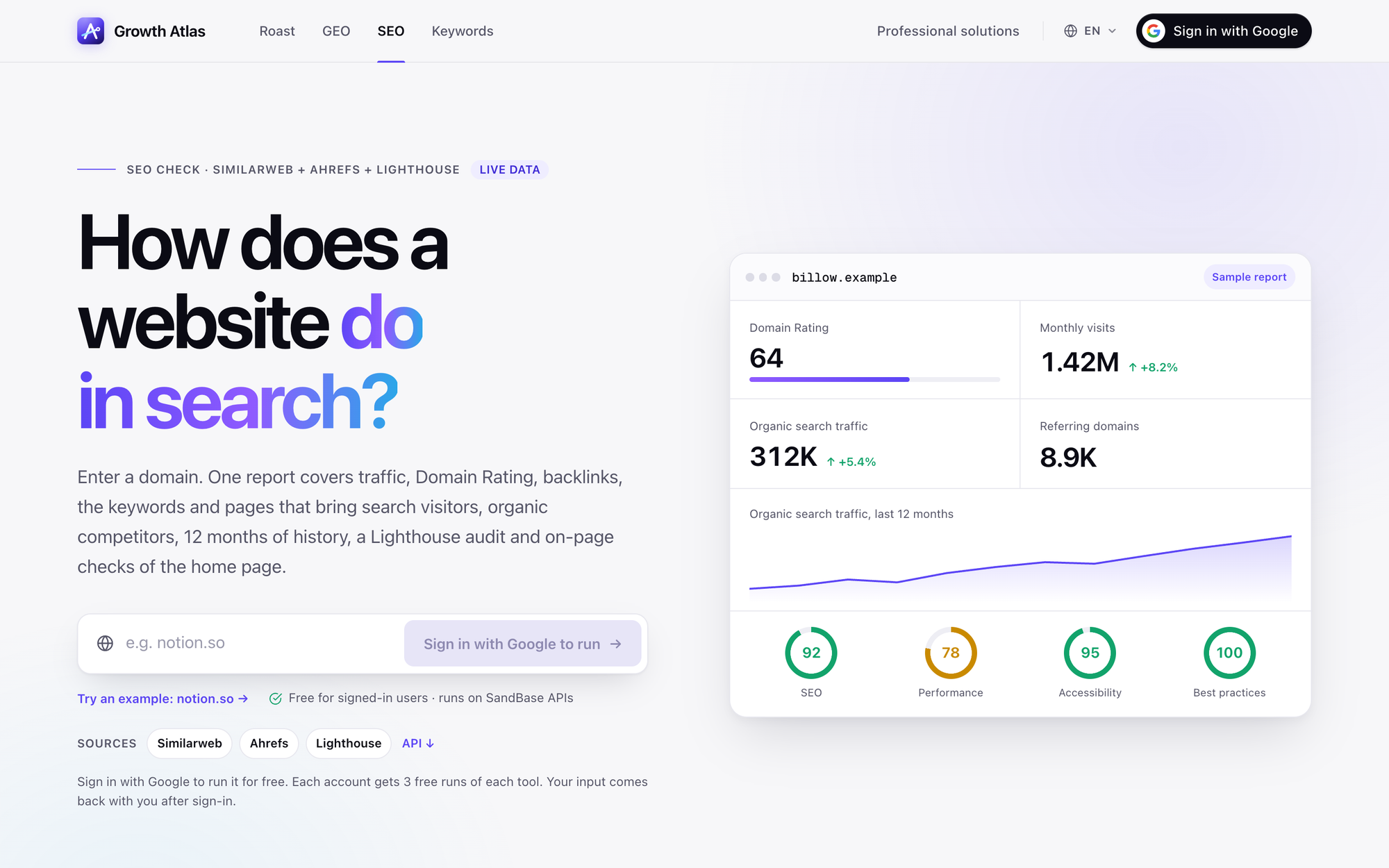 The SEO Check page on 2026-11-20. The card on the right is a sample report for a fictional domain; the numbers are illustrative, not data for a real site.
Enter a bare domain, such as notion.so, without https:// or a path. SEO Check analyses the whole domain, not a single page. If you sign in after typing a domain, your input comes back with you.
Where each number comes from
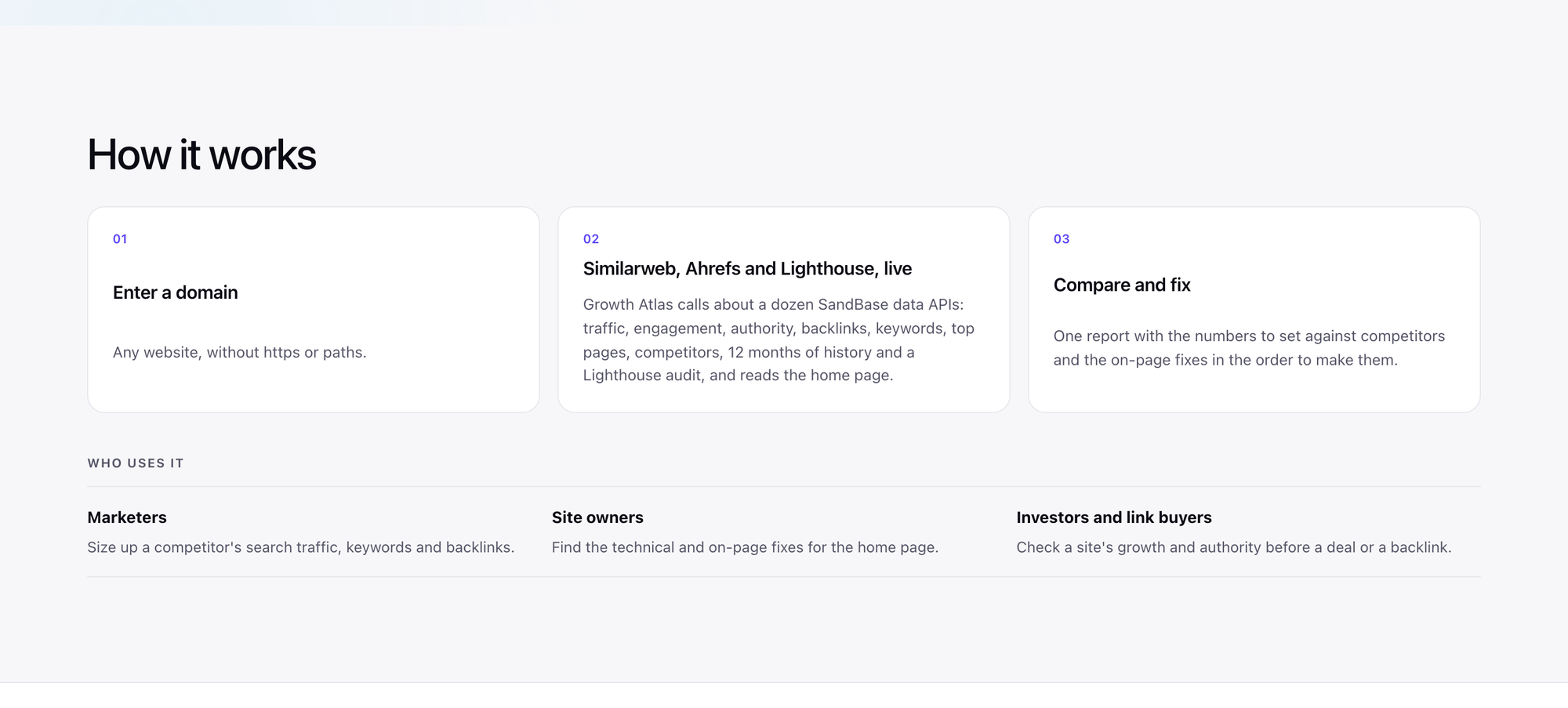 The “How it works” section: Growth Atlas calls about a dozen SandBase data APIs live for each run and reads the home page itself.
SEO Check calls each provider live when you run it; Growth Atlas keeps no cache of its own. The providers’ datasets have their own update cycles, and Similarweb’s most recent month typically lags by about two months.
| Report section | Provider | What it tells you |
|---|---|---|
| Monthly visits and engagement | Similarweb | Estimated visits for recent months, pages per visit, visit duration, bounce rate |
| Domain Rating | Ahrefs | Backlink profile strength, 0–100 |
| Backlinks and referring domains | Ahrefs | How many links and linking sites point to the domain |
| Organic search traffic and keywords | Ahrefs | Estimated monthly visits from Google and the number of ranking keywords |
| Traffic by country | Ahrefs | Which countries send organic visitors |
| Top organic keywords | Ahrefs | The searches that bring the most visitors |
| Top pages | Ahrefs | The pages that bring the most organic visitors |
| Organic competitors | Ahrefs | Sites that rank for many of the same keywords |
| 12-month history | Ahrefs | Organic traffic, Domain Rating and ranking positions over the last year |
| Lighthouse | Google Lighthouse via DataForSEO | SEO, performance, accessibility and best-practices scores for the home page on a phone |
| On-page checks | Growth Atlas | Title, description, headings, canonical, sitemap, robots.txt, structured data and more |
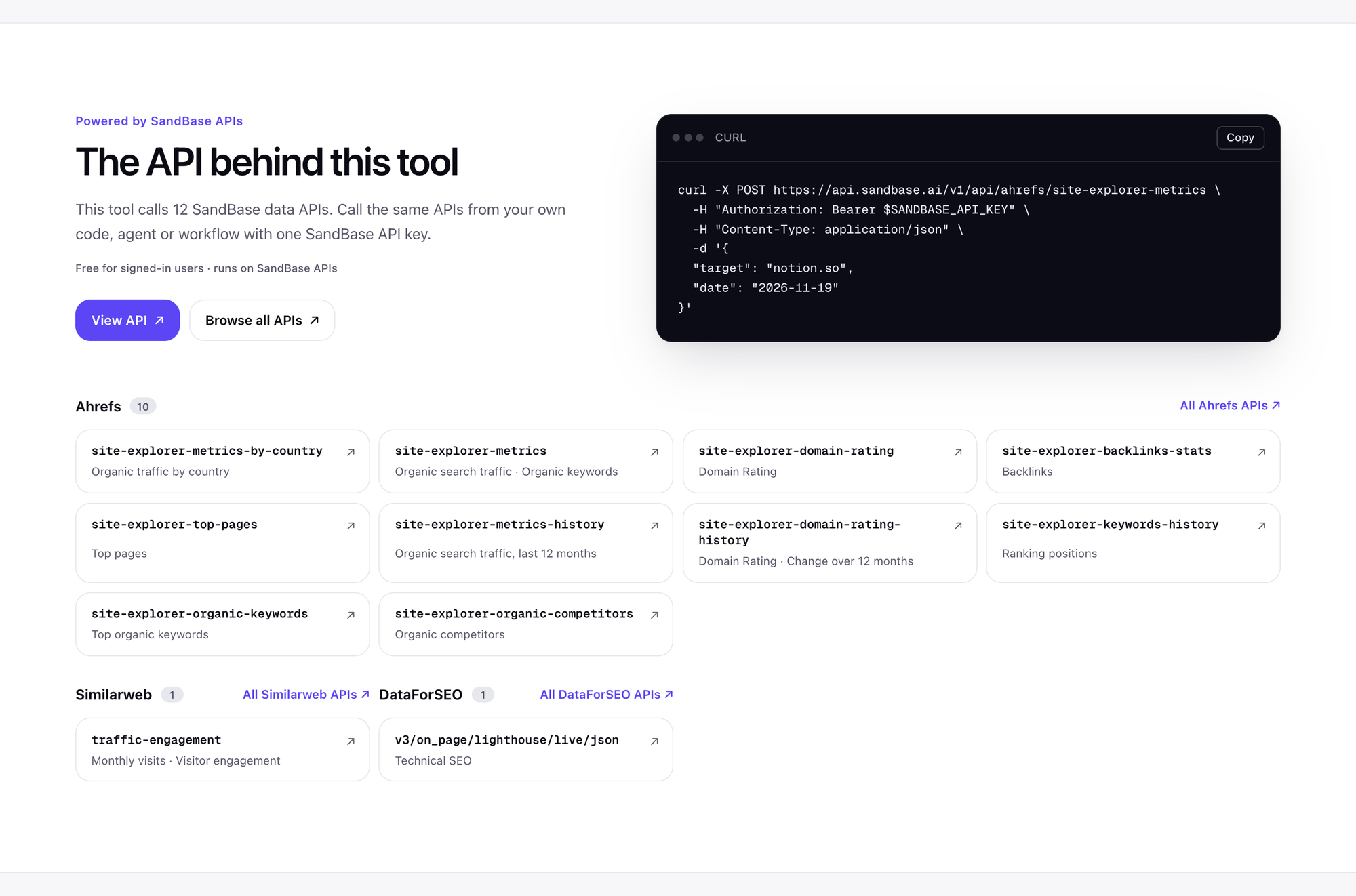 The API list on the SEO Check page names every endpoint behind the report: 10 Ahrefs Site Explorer calls, 1 Similarweb call and 1 Lighthouse call.
Reading the report
Traffic and engagement
Similarweb estimates total monthly visits from all channels, not only search, plus engagement: pages per visit, average visit duration and bounce rate. This is the closest public view of how big a site is.
Read it as an order of magnitude. Similarweb builds the estimate from a panel of users and partner data, so for a small site the estimate can be off by a wide margin in either direction. For small or new sites, Similarweb often has no data at all, and the section stays empty.
Authority: Domain Rating and backlinks
Domain Rating (DR) is Ahrefs’ 0–100 score of how strong a site’s backlink profile is. It is on a log scale: going from 70 to 80 is much harder than going from 20 to 30. Next to it you get the number of backlinks and referring domains.
Referring domains usually tell you more than backlinks. One site that links to you 500 times from a footer counts as 500 backlinks but only one referring domain. When you compare yourself with a competitor, a gap in referring domains is the clearest sign that the difference is authority, not content.
Keywords, top pages and competitors
This part answers “where does search traffic come from?”:
- Top organic keywords: the searches that bring the most estimated visits.
- Top pages: the pages that bring the most organic visitors. On many sites, a handful of blog posts or tool pages bring most of the search traffic, and the home page brings less than people expect.
- Organic competitors: sites that rank for many of the same keywords. These are your competitors in Google, which may not be the companies you compete with in sales.
Keywords and competitors are reported for the country that sends the site the most organic traffic, according to Ahrefs. If your market is Germany but most of your organic traffic comes from the US, the keyword list will be the US one. Traffic, Domain Rating, backlinks, top pages and history are worldwide.
12 months of history
Three trend lines cover the last year: organic traffic, Domain Rating and ranking positions. History is where you see whether a site is growing, flat, or recovering from a drop. A sudden fall in organic traffic with stable Domain Rating often points at a ranking change for a few big keywords rather than lost links.
Lighthouse and on-page checks
Lighthouse loads the home page as a phone and scores four categories: SEO, performance, accessibility and best practices. Growth Atlas also reads the home page HTML, robots.txt and the sitemap itself, and checks:
- HTTPS and whether the page can be indexed (no noindex)
- title length (10–65 characters) and meta description length (50–160 characters)
- exactly one H1
- canonical URL, an XML sitemap, and robots.txt allowing Googlebot
- structured data (JSON-LD) and social link previews (Open Graph)
- image alt text, a mobile viewport tag, a declared page language, and at least 300 words of text
These are the fixes on your own site that you can make this week. The rest of the report is context for prioritising them.
How to compare two sites
The most useful way to run SEO Check is in pairs: your domain and the competitor that wins the searches you want. With three free runs, run yourself, your closest competitor and one aspirational competitor a size above you.
Then compare in this order:
- Referring domains and Domain Rating. If the competitor has five times your referring domains, content alone will not close the gap quickly. You need links: partnerships, listings, guest content, tools people cite.
- Top pages. Look at the pages that bring them traffic. If several are guides, comparisons or free tools, that tells you what kind of page earns search visits in your market.
- Top keywords. Find the ones where you do not rank at all. Check their search volume and difficulty with KeywordScout before you commit to a page.
- On-page checks and Lighthouse. Fix your own failures regardless of what the competitor does. These are cheap and they remove reasons for Google to rank you lower.
SEO Check is built for more than marketers. Site owners can use it to find home page fixes, and investors or link buyers can check a site’s growth and authority before a deal or before paying for a link.
Limits worth knowing
- Estimates, not analytics. Use Google Search Console and your analytics for your own real traffic. SEO Check is for comparing domains with the same method, including domains you do not own.
- Empty sections are normal for small sites. Similarweb does not track many small or new sites, and Ahrefs has no data for domains without rankings or backlinks. Check the spelling of the domain first.
- Home page only for on-page checks. Lighthouse and the on-page checks look at the home page. For a page-level review of copy, conversion and speed, use RoastWeb.
- One country for keywords. Keyword and competitor data follow the site’s top organic country, which may not be the market you care about. When Ahrefs has no country data for the site, they fall back to the United States.
- A snapshot. Each run reflects the data at that moment. Re-run later and compare reports in your History.
For developers
Every section is a SandBase data API you can call directly with one key, for example the Ahrefs APIs on SandBase for Domain Rating, backlinks and keywords, or Similarweb on SandBase for traffic and engagement. The SEO Check page shows a ready-to-copy request for each endpoint. Direct API calls are billed by usage at each API’s SandBase price, on your own SandBase account and separately from the free Growth Atlas runs.
FAQ
Is SEO Check free? Yes. Sign in with Google and you get 3 free runs of SEO Check.
Are these exact numbers? No. They are estimates from Similarweb and Ahrefs, good for comparing sites but not a replacement for your analytics.
What is Domain Rating? Ahrefs’ 0–100 score of backlink profile strength, on a log scale.
Why is a section empty? Usually because the site is too small or new for Similarweb, or has no rankings or backlinks in Ahrefs.
Are my searches stored? Each report is saved to your account’s History, visible only to you, and you can delete it.
Try it
Run SEO Check on your domain and a competitor’s. For how it fits with the website audit, AI visibility and keyword tools, see the Growth Atlas overview.
Sources: growatlas.ai/tools/seo (page text, FAQ and API list), retrieved 2026-11-20. The sample card on the tool page uses a fictional domain. Data providers, API counts and limits can change; the live tool page is authoritative.