KeywordScout: Free Keyword Research with Real Google Search Volume and Difficulty
How KeywordScout turns a topic into up to 100 keywords with Google Ads search volume, CPC, trend and SEO difficulty, sorted into clusters and intents, with a short list of what to publish first.

Two common ways to do keyword research both go wrong. Ask an AI chatbot for keyword ideas and you get a sensible list with no idea which phrases anyone actually searches. Paste a seed keyword into a classic keyword tool and you get real numbers, but only for variations of the words you typed, so you miss the questions, comparisons and adjacent topics that a person would think of.
KeywordScout in Growth Atlas uses both and keeps their jobs separate. You type a topic. An AI model brainstorms what people search for, Google Ads adds its own ideas and the real numbers, and you get a ranked list with search volume, difficulty, CPC, trend, clusters and what to publish first, usually in under a minute. This guide explains where each number comes from, how the opportunity score works, and how to turn the list into a content plan.
Key takeaway
- KeywordScout returns up to 100 keywords for a topic, from two sources: about 50 ideas from an AI model and Google Ads’ own related-keyword suggestions.
- Search volume, CPC, ad competition and a 12-month trend come from Google Ads keyword data through DataForSEO. Difficulty comes from DataForSEO Labs.
- Numbers are never invented. When Google data is unavailable, a row shows the model’s rough volume band and is marked “AI estimate”.
- Every keyword is sorted into a cluster and one of four intents: informational, commercial, transactional or navigational.
- The brief ends with 5–8 keywords to publish first, each with a page title, an angle and a page format. Free with Google sign-in: 3 runs per account.
What you enter
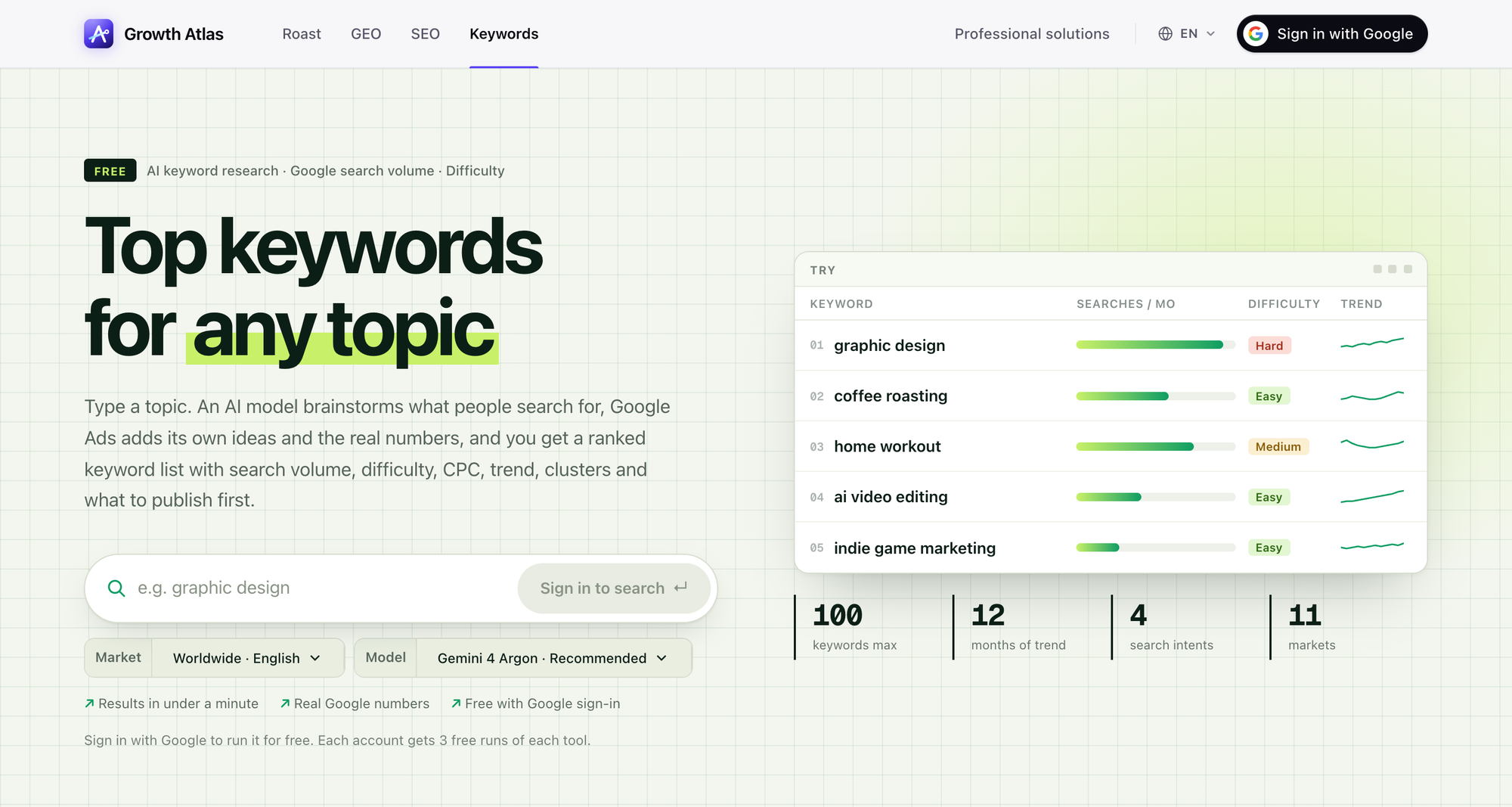 The KeywordScout form on 2026-11-20. The “Try” table lists example topics you can click; the counters describe every run: up to 100 keywords, 12 months of trend, 4 intents, 11 markets.
- Topic. A niche or subject in 2–80 characters, such as “coffee roasting” or “indie game marketing”. A topic works better than a single exact keyword, because the point is to map the whole space.
- Market. Worldwide (English), United States, United Kingdom, Canada, Australia, India, Germany, France, Spain, Brazil or Japan. The market sets the country for search volume and the language of the keywords, so the German market returns German keywords.
- Model. On 2026-11-20 the picker offered Gemini 4 Argon (recommended), GPT-6.1 Sol (fast), Claude Sonnet 5.5 (most thorough) and GPT-6 Luna (lowest cost). The model shapes the brainstorm and the brief, not the numbers.
How a search runs
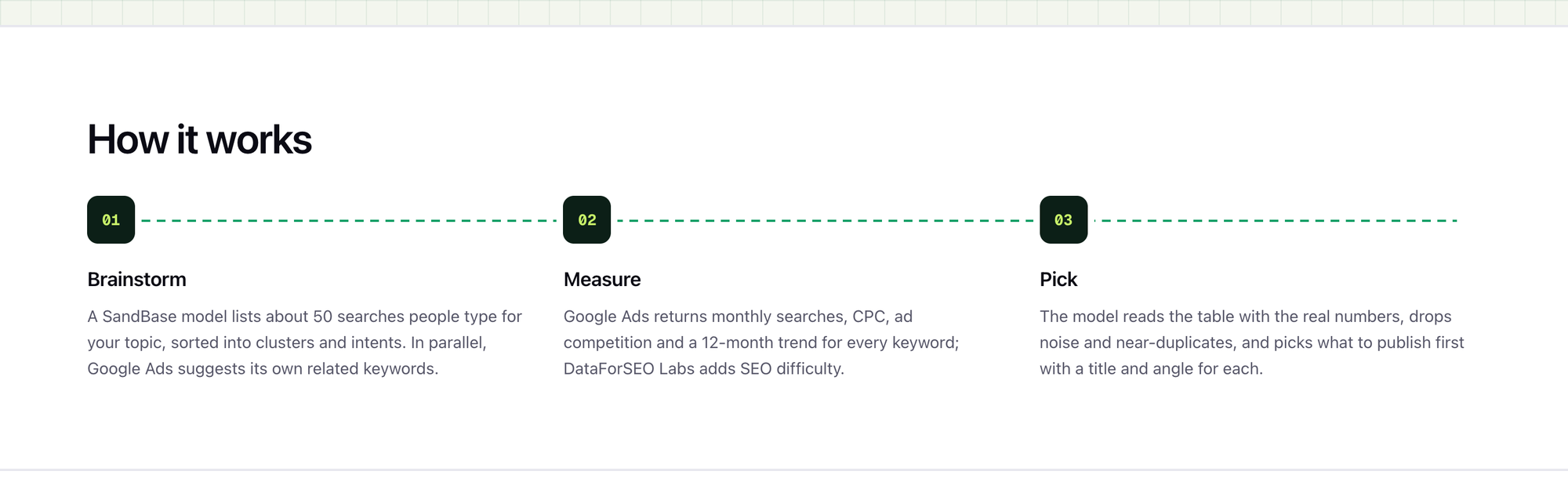 The three stages on the KeywordScout page. The model writes ideas and the brief; Google Ads and DataForSEO Labs supply every number.
- Brainstorm. A model lists about 50 searches people type for your topic: the head term and synonyms, sub-topics, tools, services, how-to questions, “best”, “vs” and “alternatives” searches, free and template searches, and well-known names in the niche. It sorts them into 5–8 clusters and an intent each. In parallel, Google Ads suggests its own related keywords.
- Measure. Google Ads returns monthly searches, CPC, ad competition and a 12-month trend for every keyword. DataForSEO Labs adds SEO difficulty.
- Pick. The model reads the merged table with the real numbers, labels Google’s ideas, drops noise and near-duplicates, and writes the brief: a summary, a note per cluster, and the keywords to publish for first.
The division of labour is the important design choice. The model is good at covering a topic the way a person thinks about it. Google Ads is the source of Google’s own search-volume figures. KeywordScout uses each for what it is good at and never lets the model fill in a number.
What each column means
| Column | Source | How to read it |
|---|---|---|
| Searches / month | Google Ads (via DataForSEO) | Average monthly searches over the last 12 months, rounded the way Google rounds them |
| CPC | Google Ads | What advertisers pay per click; a proxy for commercial value |
| Ad competition | Google Ads | 0–100, how many advertisers bid on the keyword |
| Difficulty | DataForSEO Labs | 0–100, how hard it is to reach Google’s top 10 organically, based on the pages that rank today |
| Trend | Google Ads | The 12-month series; the change compares the last 3 months with the 3 before |
| Intent | AI model | Informational, commercial, transactional or navigational |
| Cluster | AI model | The sub-topic the keyword belongs to |
Difficulty is shown as Easy (under 30), Medium (30–59) or Hard (60 and above). The FAQ on the tool page gives a simple starting rule: keywords where both difficulty and ad competition are under 30 are usually a good place to start.
Search volume is a 12-month average, so a seasonal keyword can look smaller than it is in its peak month. The trend line is there to catch that. A keyword with modest average volume and a steep upward trend can be a better bet than a bigger one that is flat.
The opportunity score
Every keyword also gets an opportunity score from 0 to 100. It multiplies two things:
- Volume, on a log scale, where 100,000 searches a month is full marks. A log scale keeps a 1,000-search keyword from looking worthless next to a 100,000-search one.
- Ease, from difficulty (or ad competition when difficulty is missing). Even the hardest keyword keeps 30% of its volume score, so big head terms stay visible instead of dropping to zero.
Use the score to sort, not to decide. A keyword with a high opportunity score but the wrong intent for your business is still the wrong keyword.
From keyword list to content plan
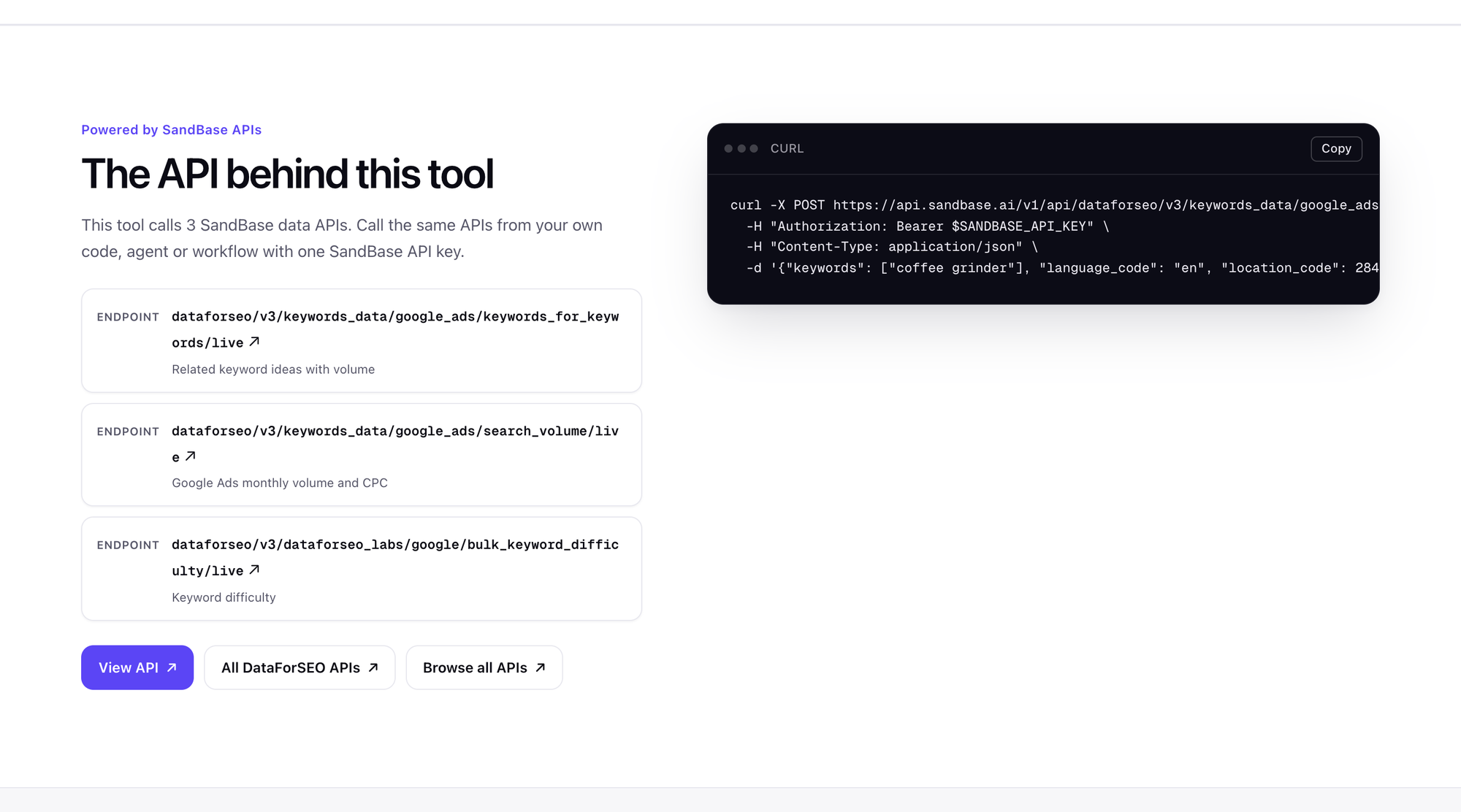 The three data APIs behind KeywordScout, as listed on the tool page. The curl example sends one keyword with the US location code (2840).
The brief at the end of a run is where KeywordScout differs most from a plain keyword export. It picks 5–8 keywords to publish for first, preferring real demand, low or medium difficulty and a clear intent, and it includes at least one commercial or transactional keyword when the table has one. For each pick you get:
- a page title in the keyword’s language,
- an angle of one or two sentences that cites the numbers and says why the page is worth doing now,
- a format: guide, list, comparison, tutorial, landing page, tool, review or FAQ.
A practical way to use it:
- Check intent against your business. Informational keywords build reach; commercial ones (“best”, “vs”, “pricing”) are closer to a sale. A small site often gets further, faster, with a few commercial pages than with broad guides.
- Group by cluster. One strong page per cluster, linked to a few supporting pages, usually beats many thin pages on near-duplicate keywords.
- Check who ranks today. Difficulty is an estimate. Search the keyword yourself and look at the top results before you commit. If the first page is all big brands with deep guides, pick a narrower keyword in the same cluster.
- Cross-check with your other reports. Keywords a competitor wins in SEO Check, and buyer questions you lose in GEO Check, are good topics to run through KeywordScout.
Limits worth knowing
- Google numbers are rounded and averaged. Google Ads groups and rounds volumes, so two keywords with the same number may differ in reality, and very low volumes are imprecise.
- AI estimates are marked, not mixed in. If Google data is not available for a run, volumes fall back to the model’s rough bands, marked “AI estimate”. Treat them as a ranking hint and try again later for real numbers.
- Worldwide difficulty uses US data. Difficulty needs a country. For the Worldwide market, KeywordScout measures difficulty for the United States.
- Eleven markets. If your market is not on the list, the closest option (often Worldwide English) is an approximation.
- Volume is not traffic. Even the top result gets only part of the searches, and AI answers and ads take some clicks.
FAQ
Where does the search volume come from? From Google Ads keyword data through DataForSEO: average monthly searches over the last 12 months.
What does the AI add over a keyword tool? It finds searches a seed-keyword tool misses (questions, comparisons, adjacent topics), sorts everything into clusters and intents, removes noise, and turns the numbers into a short plan of what to publish first.
Is KeywordScout free? Yes. Sign in with Google and you get 3 free runs.
Can I research a topic in another language? Yes, through the market. Germany, France, Spain, Brazil and Japan return keywords in German, French, Spanish, Portuguese and Japanese.
Is my search stored? Each search is saved to your account’s History, visible only to you, and you can delete it.
Try it
Run KeywordScout on your next topic. Developers can call the same Google Ads volume and difficulty endpoints through the DataForSEO APIs on SandBase. For how KeywordScout fits with the other three tools, see the Growth Atlas overview.
Sources: growatlas.ai/tools/keywords (page text, FAQ and API list), retrieved 2026-11-20. Models, markets and limits can change; the live tool page is authoritative.