Growth Atlas: Free Website Audit, GEO, SEO and Keyword Tools in One Account
What Growth Atlas does: four free growth tools (RoastWeb, GEO Check, SEO Check, KeywordScout), where their data comes from, what each report shows and where the limits are.

Most small teams hit the same four questions before they spend on ads or an agency. Why do visitors leave the homepage? Does Google send us any traffic, and who wins the searches we want? When a buyer asks ChatGPT for a tool like ours, are we in the answer? And what should we write next? Each question usually means a separate subscription: a CRO audit, an SEO suite, an AI-visibility tracker and a keyword tool.
Growth Atlas puts those four checks behind one Google sign-in. Every account gets three free runs of each tool, reports are saved to your account, and each check takes one to two minutes. This post explains what each tool does, where its numbers come from, how to use the twelve free runs well, and what the tools do not do.
Key takeaway
- Growth Atlas has four tools: RoastWeb (website audit), GEO Check (AI-answer visibility), SEO Check (traffic, authority and technical SEO) and KeywordScout (keyword research).
- Sign in with Google and you get 3 free runs of every tool, with no credit card. Reports are private to your account and can be downloaded as PDF.
- Data is fetched live when you run a check: Similarweb for traffic, Ahrefs for authority and backlinks, Google Ads and DataForSEO for search volume, Google Lighthouse for speed.
- The AI analysis runs on GPT, Claude, Gemini and DeepSeek models through SandBase, and the same data APIs are available to developers.
- Traffic and keyword numbers are third-party estimates, and GEO Check asks models without live web search. Treat both as comparison tools, not as analytics.
What Growth Atlas is
Growth Atlas is a set of free growth checks for companies, indie makers, marketing teams and agencies. You give it a URL or a topic, it calls live data sources and AI models, and it returns a report with the problems ranked by impact and the change to make for each one.
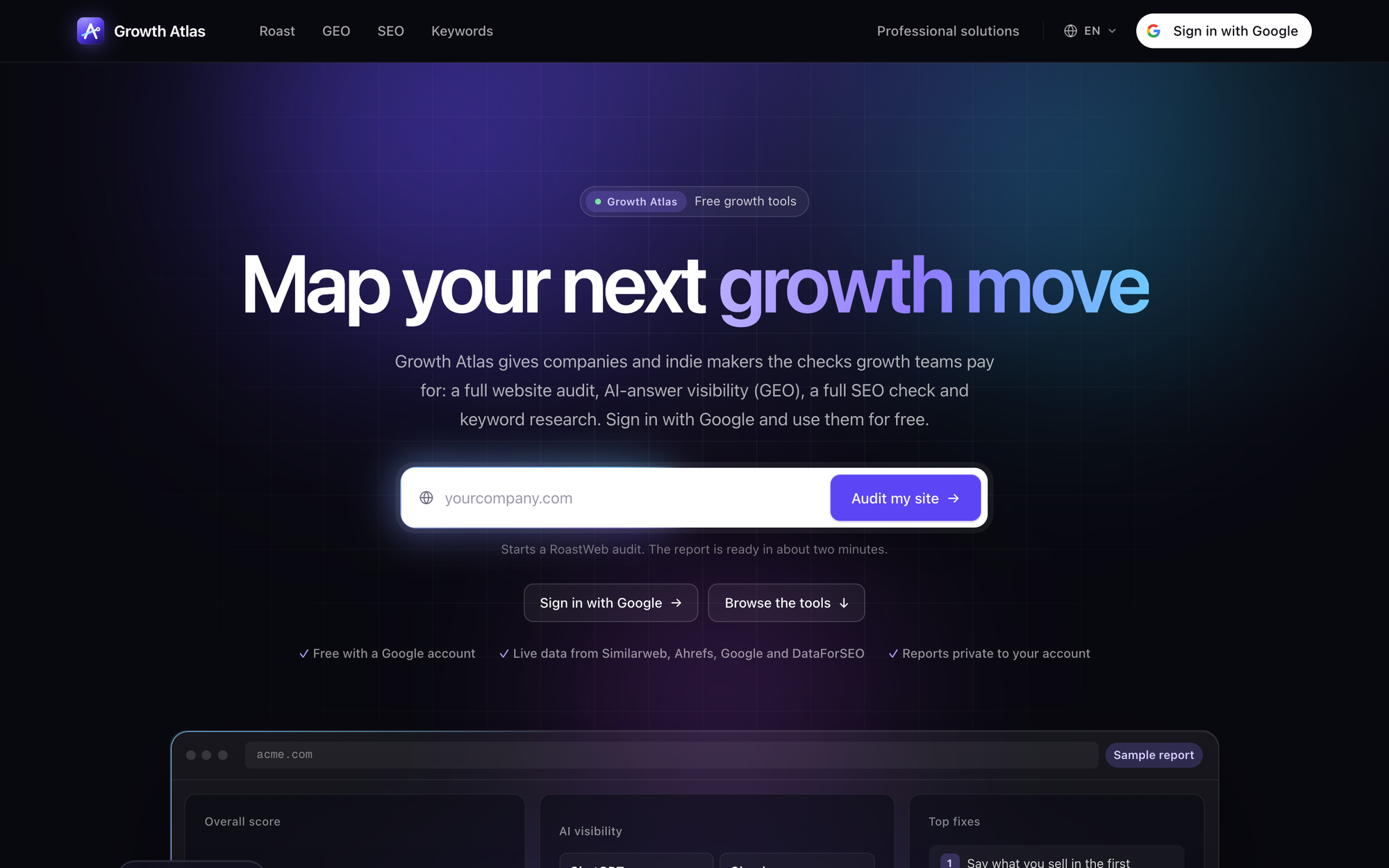 The home page on 2026-11-20. The URL box starts a RoastWeb audit; the strip under it lists the data sources and the “private to your account” promise.
It is not an analytics product. Growth Atlas does not install a tag on your site, read your Google Search Console or connect to your ad accounts. Everything it reports comes from your public pages and from third-party data providers. That is why it works on any public site, including a competitor’s, and also why its traffic numbers are estimates rather than your real visitor counts.
The four tools at a glance
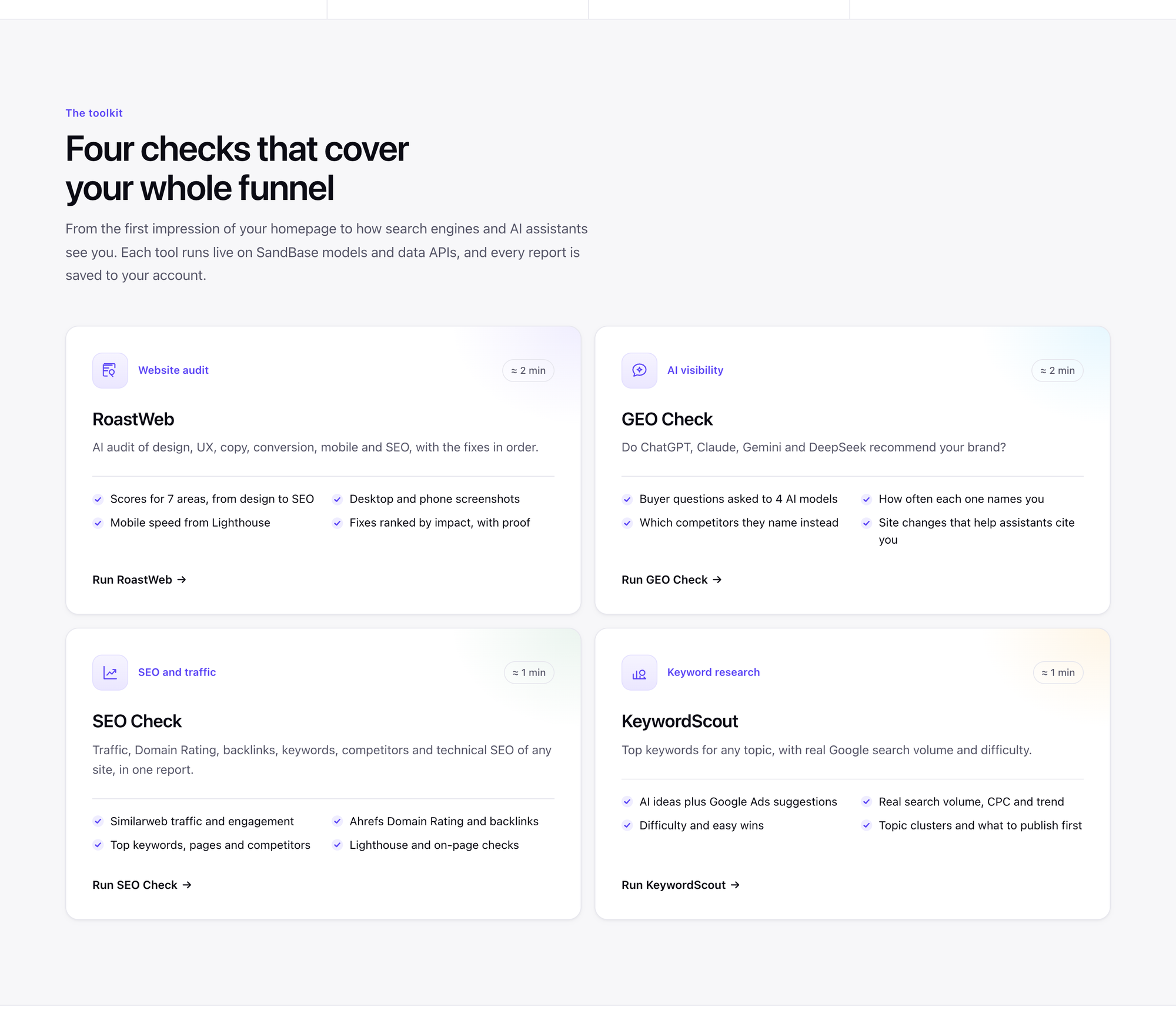 The toolkit section lists the four checks with their typical run time: about two minutes for RoastWeb and GEO Check, about one minute for SEO Check and KeywordScout.
| Tool | Question it answers | Input | What the report contains | Typical time |
|---|---|---|---|---|
| RoastWeb | Why does this page lose visitors? | A page URL | Seven area scores, desktop and phone screenshots, phone speed, SEO checks, fixes in order with proof | ~2 min |
| GEO Check | Do AI assistants recommend us? | A site URL, optional brand name | Six buyer questions asked to four models, mention rate, share of voice, competitors named instead, nine site-readiness checks, action plan | ~2 min |
| SEO Check | How does this site do in search? | A domain | Similarweb traffic, Ahrefs Domain Rating and backlinks, top keywords and pages, organic competitors, 12 months of history, Lighthouse | ~1 min |
| KeywordScout | What do people search for on this topic? | A topic and a market | Up to 100 keywords with Google search volume, CPC, difficulty and trend, clusters, what to publish first | ~1 min |
The four tools follow the path a buyer takes. KeywordScout and SEO Check cover how people find you in Google. GEO Check covers how they find you in AI assistants. RoastWeb covers what happens when they land on the page.
A sensible order for your twelve free runs
Three runs per tool is enough for a real first pass if you spend them on purpose. A practical order for a new site:
- RoastWeb on your own homepage. Its fixes are the fastest to make. The report gives the exact wording to paste for copy problems and marks where on the page each issue sits. Keep the other two runs for your pricing page and a second landing page, or for a re-run after you ship the first fixes.
- SEO Check on your domain and on one competitor. Your own numbers alone say little. Next to a competitor you can see whether the gap is authority (Domain Rating and referring domains), content (keywords and top pages) or technical (Lighthouse and on-page checks).
- GEO Check on your site. The report shows which buyer questions you lose and which brands the models name instead. Those competitor names are often the best input for the comparison pages you should write.
- KeywordScout on the topics the first three surfaced. By now you know which searches a competitor wins and which questions AI assistants answer without you. KeywordScout tells you how many people search each phrase and how hard it is to rank.
The point of this order is that each report feeds the next one. A RoastWeb run that says “the headline does not name the customer” and a GEO Check that says “assistants describe you as an invoicing tool, not a payments tool” are usually the same problem seen from two sides.
Where the data comes from
The tools call the data providers when you run a check. Growth Atlas does not reuse results from someone else’s run, although the providers’ own datasets are updated on their schedules (Similarweb’s latest month, for example, lags by a couple of months).
| Data | Source | Used by |
|---|---|---|
| Monthly visits, engagement | Similarweb | SEO Check |
| Domain Rating, backlinks, organic keywords, top pages, competitors, history | Ahrefs | SEO Check; GEO Check also asks Ahrefs how often AI answers cite your domain |
| Screenshots, Lighthouse, domain rank, backlinks, ranked keywords | DataForSEO | RoastWeb (all of these), SEO Check (Lighthouse only) |
| Search volume, CPC, ad competition, 12-month trend | Google Ads keyword data (via DataForSEO) | KeywordScout |
| Keyword difficulty | DataForSEO Labs | KeywordScout |
| Page review, buyer questions, answers, keyword clustering | GPT, Claude, Gemini and DeepSeek models | RoastWeb, GEO Check, KeywordScout |
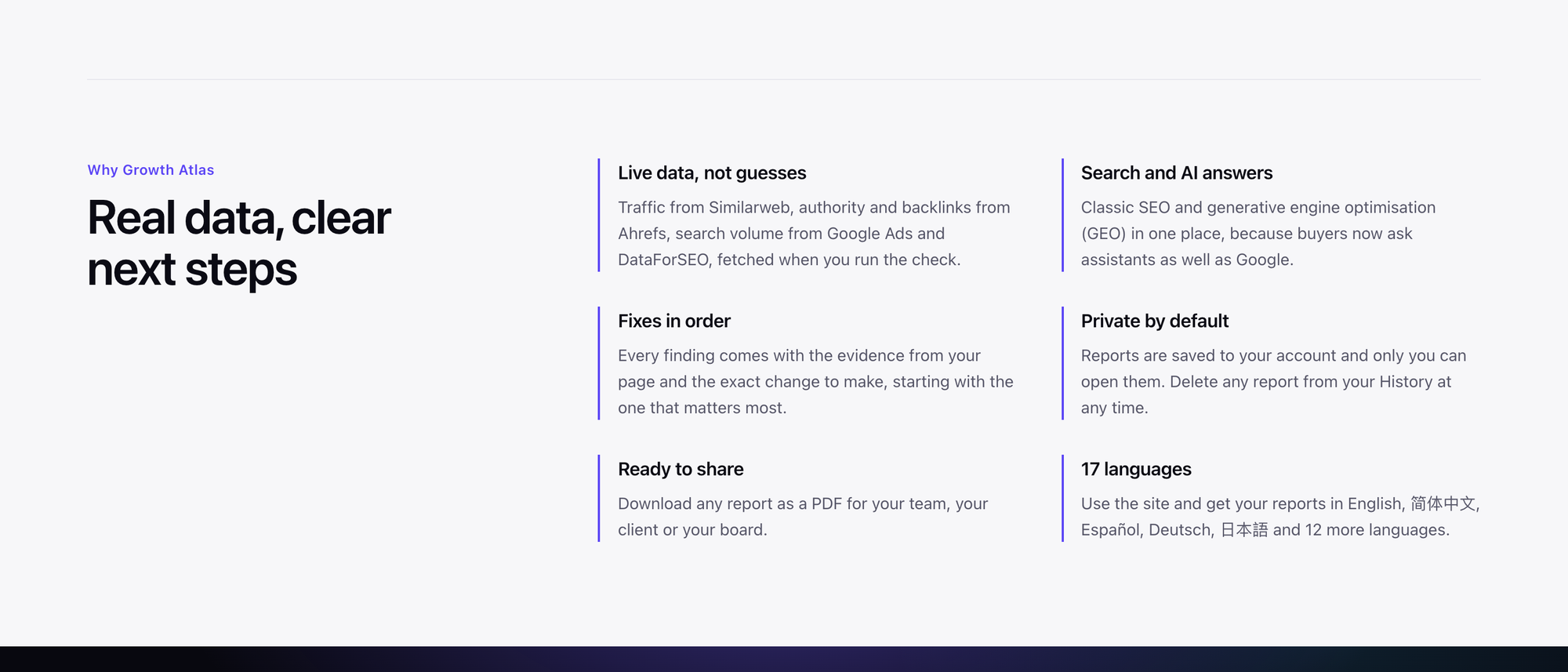 The “Why Growth Atlas” section names the providers behind the numbers and the report features: ranked fixes, private history, PDF export and 17 report languages.
Two consequences are worth knowing before you read a report. First, Similarweb and Ahrefs model traffic from panels and rankings, so their figures can differ a lot from your own analytics, especially for small sites. They are good for comparing two sites with the same method and weak as an absolute count. Second, the AI parts are instructed not to invent facts about your business. When RoastWeb suggests copy that needs a number it does not know, such as a price or a customer name, it leaves a placeholder in square brackets for you to fill in.
What a report gives you
Every tool ends in a list of changes, not only a score. RoastWeb and GEO Check rank their recommendations by impact and attach the evidence: a quote from your page, a measured value, a marked region of the screenshot, or the AI answers where a competitor was named instead of you. SEO Check and KeywordScout give you the numbers to set against a competitor and a short list of what to work on first.
Reports are saved to the History in your account. Only you can open them, and you can delete any report. You can download a report as PDF. RoastWeb and GEO Check also export Markdown, which is handy if you paste findings into a ticket or a client doc, and KeywordScout exports its keyword table as CSV. The interface and the reports are available in 17 languages, including English, Simplified Chinese, Spanish, German and Japanese.
For developers: the same APIs
Every Growth Atlas tool is built on SandBase, which provides the AI models and data APIs behind it. If you want the raw data inside your own code, agent or workflow, you can call the same endpoints with one SandBase API key. Each tool page lists the exact endpoints it uses, such as the DataForSEO APIs on SandBase for screenshots, Lighthouse and keyword volume.
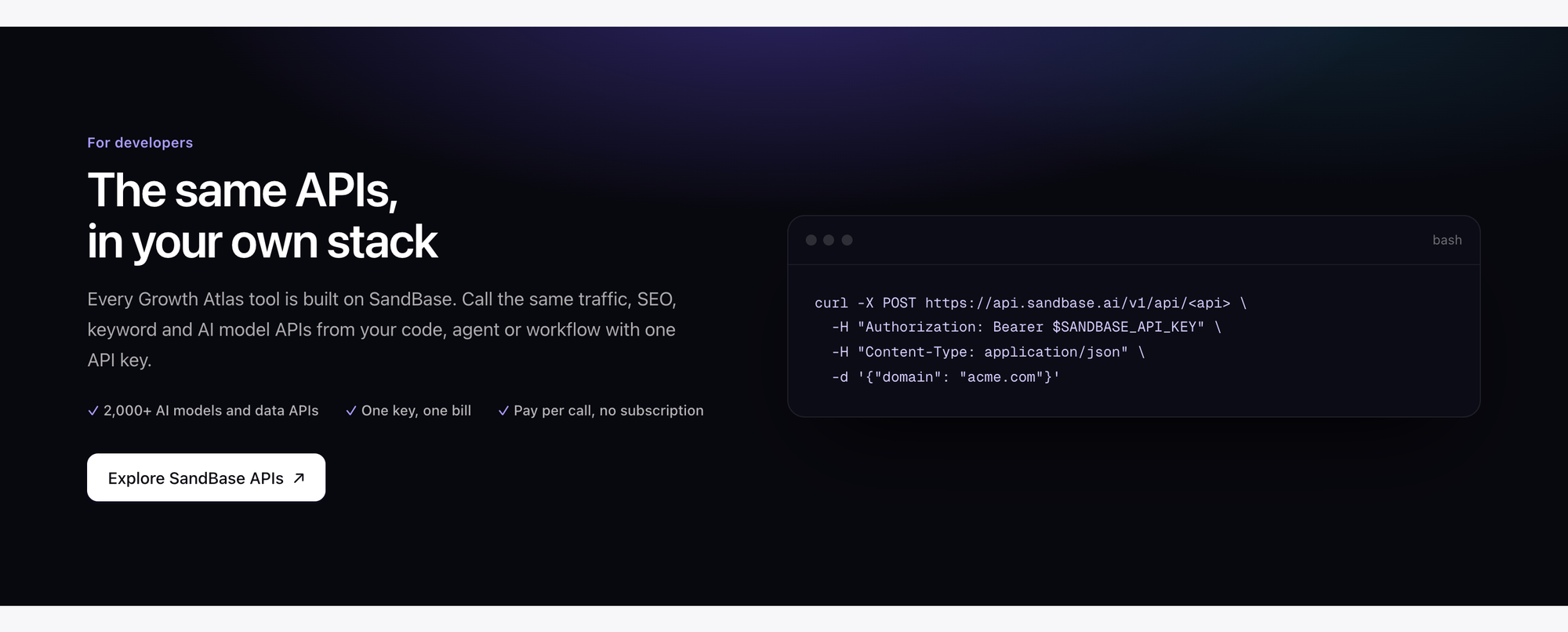 The developer band shows the generic call shape: one POST per API to
api.sandbase.ai/v1/api/<api> with a bearer key.
Direct SandBase API calls are billed by usage at each API’s SandBase price, on your own SandBase account and separately from the free Growth Atlas runs.
The provider layer and the product layer are separate. Similarweb, Ahrefs, DataForSEO and Google own the data. SandBase gives one key and one bill for calling them. Growth Atlas is the product that decides which calls to make, combines the results and writes the report.
Limits and trade-offs
The tools are useful because they are fast and free, and that comes with clear limits:
- Three free runs per tool. The free quota is per account and per tool. If you need more, Growth Atlas asks you to contact the team.
- One page per RoastWeb run. RoastWeb reviews the URL you give it, not your whole site. Run it on the pages that matter: home, pricing, the main landing page.
- GEO Check uses models without live web search. It asks the models through their APIs in a fresh chat. ChatGPT, Gemini and others with search turned on can answer differently, so read the result as “what the models know about you”, not as a copy of what a specific user sees.
- Traffic and keyword numbers are estimates. Use them to compare and prioritise, and use your own analytics for actual visits.
- On-demand, not monitoring. Each run is a snapshot. Growth Atlas does not track rankings day by day or send alerts. To measure a change, run the same check again after you ship it and compare the two reports in your History.
Who it is for
- Founders and indie makers who want to know why visitors leave before they spend on ads, and want a short list of fixes rather than a 60-page audit.
- Marketing and growth teams who track their SEO profile, look for keywords worth a page, and want to know whether ChatGPT and Gemini recommend them or a competitor.
- Agencies and consultants who audit a prospect’s site in a few minutes and send a PDF that starts the conversation.
If you want help turning the reports into a plan, the Growth Atlas growth team offers that through the contact page.
FAQ
Is Growth Atlas free? Yes. Sign in with Google and every account gets 3 free runs of each tool. No credit card is needed.
Can I check a competitor’s site? Yes. RoastWeb, GEO Check and SEO Check work on any public website, and KeywordScout works on any topic.
Who can see my reports? Only you. Reports are stored in your account’s History, and you can delete any of them. They are not shown to other users.
Which AI models does Growth Atlas use? The AI analysis runs on GPT, Claude, Gemini and DeepSeek models through SandBase. RoastWeb and KeywordScout let you pick the model; GEO Check asks four models every question.
What is GEO? Generative engine optimisation: making sure AI assistants know your brand and name it when buyers ask for a recommendation. The GEO Check guide explains how it is measured.
Where to go next
Each tool has its own guide with a walk-through of the report and how to act on it:
- RoastWeb: an AI website audit with fixes in order
- GEO Check: see whether ChatGPT, Claude, Gemini and DeepSeek recommend your brand
- SEO Check: traffic, Domain Rating, backlinks and technical SEO in one report
- KeywordScout: keyword research with real Google search volume
Or skip the reading and run your first check.
Sources: growatlas.ai home page and tool pages, retrieved 2026-11-20. Product details such as free-run limits, models and data sources can change; the live site is authoritative.